
Managing customer orders in Microsoft Dynamics 365 Business Central requires understanding the different types of sales orders. These types can streamline your order processing. Two common types are Sales Orders and Blanket Sales Orders. Both are integral to handling customer transactions, but they serve different purposes and offer distinct advantages.
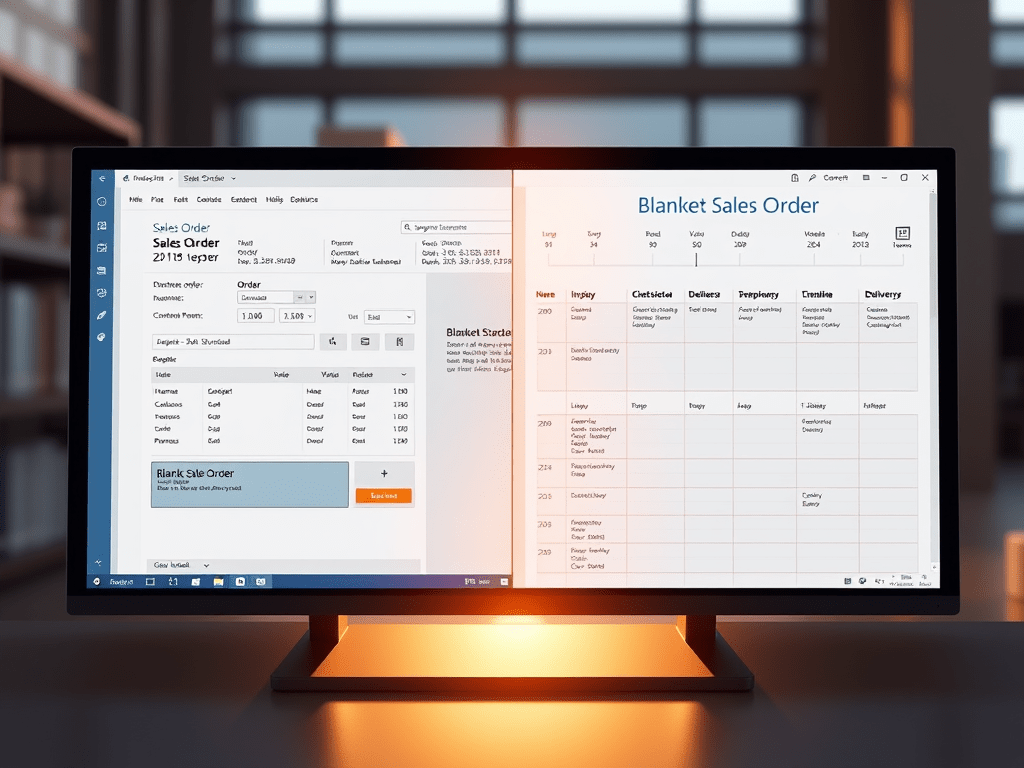
In this blog, we’ll explore the key differences between sales orders and blanket sales orders. We will show you how to use them effectively in Business Central. This will improve your order management process.
What is a Sales Order?
A Sales Order in Business Central is a document that confirms a customer’s purchase of goods or services. It specifies the products or services the customer is ordering, the quantities, and the agreed-upon price. Sales orders are typically used for one-time or specific transactions, where the customer makes an immediate purchase and expects delivery.
Key Features of a Sales Order:
- One-Time Transactions: Sales orders are typically used for single or immediate transactions.
- Inventory Updates: When a sales order is created, it triggers updates to inventory, reducing available stock.
- Invoicing and Payment: Once the goods are shipped or services are delivered, Business Central generates invoices and tracks payments.
- Shipping and Delivery: A sales order is linked to the shipping process. You can generate picking lists. You can also generate packing slips to manage the shipment.
Real-World Example of a Sales Order:
Let’s say your business sells electronics. A customer calls in to order 10 laptops. You enter the order into Business Central, confirm the price, and check stock. Once everything is confirmed, you generate the sales order, which triggers the picking, packing, and shipping of the laptops. After shipping, you generate an invoice for the customer, marking the sales order as complete.
What is a Blanket Sales Order?
A Blanket Sales Order in Business Central is different from a regular sales order. It is used for a long-term agreement or contract with a customer. Instead of creating a sales order for a one-time transaction, use a blanket sales order. It allows you to set up a framework agreement with the customer. This setup is for multiple deliveries over a specified period.
A blanket sales order typically involves the delivery of goods or services in phases, based on predefined quantities or schedules. For example, you may agree to deliver a set amount of products. This agreement could be over the next six months. It would include specific delivery dates and quantities.
Key Features of a Blanket Sales Order:
- Long-Term Agreement: A blanket sales order is typically used for ongoing or long-term agreements with a customer.
- Pre-Agreed Quantities and Pricing: The customer agrees to purchase specific quantities of products or services. This occurs over time and often at a negotiated price.
- Multiple Deliveries: The order can be split into multiple deliveries. These deliveries are triggered based on a set schedule. Alternatively, the customer can request delivery.
- Flexibility: You can adjust delivery dates, quantities, and pricing if the terms of the agreement change during the contract period.
Real-World Example of a Blanket Sales Order:
Imagine your business enters into an agreement with a customer, TechSolutions Ltd., to supply 100 laptops over the next year. Instead of creating 12 separate sales orders, you create a blanket sales order. It specifies the total quantity (100 laptops) and price terms. TechSolutions will receive deliveries of 10 laptops every month. You can then release sales orders as needed to fulfill each scheduled delivery.
How to Use Sales Orders and Blanket Sales Orders in Business Central
1. Creating a Sales Order:
- Go to the Sales Order page in Business Central.
- Select the New option to create a new order.
- Enter the customer details, the products they wish to order, and any agreed-upon prices.
- Once confirmed, you can proceed with inventory checks, shipping, invoicing, and payment processing.
2. Creating a Blanket Sales Order:
- In Business Central, go to the Blanket Sales Order page.
- Select New to create a blanket sales order.
- Enter the customer details and specify the overall quantity or value for the contract.
- You can break the blanket sales order into multiple releases based on the delivery schedule.
- When a specific delivery is required, generate a sales order from the blanket sales order. This will release the appropriate quantity for that delivery.
3. Releasing Orders from Blanket Sales Orders:
- You can create a release order from a blanket sales order by specifying the quantity to be delivered.
- The release order functions like a standard sales order and follows the regular sales process (stock check, invoicing, shipping, etc.).
- This provides flexibility. It allows you to deliver items in stages. You can keep track of the total agreement in the blanket sales order.
Benefits of Using Sales Orders and Blanket Sales Orders
Sales Orders:
- Simplified Process: Perfect for one-time transactions, reducing the need for complex agreements.
- Immediate Fulfillment: Ideal for customers who need a quick order with immediate delivery.
- Streamlined Invoicing: Allows for quick generation of invoices based on single transactions.
Blanket Sales Orders:
- Efficient for Long-Term Contracts: Ideal for customers who require ongoing deliveries over a set period. This is suitable for subscription-based services or phased project deliveries.
- Improved Forecasting: Allows businesses to forecast sales and manage inventory for long-term agreements.
- Flexible Delivery and Payment Terms: Businesses can offer flexible terms. They can provide monthly or quarterly deliveries. Payments can be due upon each release or at the end of the contract.
- Simplified Order Management: By grouping multiple deliveries under one order, you reduce administrative overhead and paperwork.
When to Use Each Type of Order
- Sales Order: Best for one-time or immediate sales with clearly defined quantities and prices. Use when the customer requires a quick turnaround or when the order does not involve a long-term commitment.
- Blanket Sales Order: Ideal for customers with long-term contracts, ongoing delivery requirements, or subscription-based services. Use this method to deliver products or services in phases over time. This approach allows flexibility in delivery and invoicing.
Conclusion
Microsoft Dynamics 365 Business Central offers a powerful way to manage Sales Orders. It also effectively manages Blanket Sales Orders. This allows businesses to handle one-time transactions with ease. It also facilitates long-term customer agreements. Knowing when to use each order type will help streamline your order management process. This understanding also improves cash flow and enhances customer satisfaction.
By leveraging the capabilities of Business Central, businesses can simplify sales processes. They can also reduce administrative overhead. Additionally, businesses can offer more flexible and tailored solutions to their customers.


 LK Techs
Leave a Reply